You've tried ChatGPT.
It didn't stick.
"I keep forgetting to use it. When I do, it feels like starting over every time."
"My coworkers say AI saves them hours. I just feel like I'm doing it wrong."
"I'm paying $20/month and barely using it."
Get the AI Playbook — $29
✓ Money-back guarantee
If this sounds familiar, you're not bad at AI. You're just using it wrong.
Most people treat ChatGPT like a search engine: ask a question, get an answer, move on. That's maybe 10% of what it can do.
The people getting real value treat ChatGPT like a coworker — someone you onboard, give context to, and talk to throughout the day.
The secret: talk to it constantly
The #1 mistake: Only opening ChatGPT when you "need" something.
The people who get real value talk to it all day — what they're working on, what's frustrating them, what they're thinking about. The more context it has in memory, the more useful every future conversation becomes.
When I message my AI assistant, I don't explain context. He already knows:
- → What I'm working on this week
- → My communication style
- → My calendar and deadlines
- → The people I work with
- → Decisions I made last month
So when I say something like:
Real message
Feeling scattered today. What should I focus on?
He doesn't give generic productivity advice. He looks at my actual projects, deadlines, and patterns — then tells me specifically what to do.
That's the difference. And it only takes 30 minutes to set up.
Here's what it looks like
Real outputs from a configured ChatGPT:
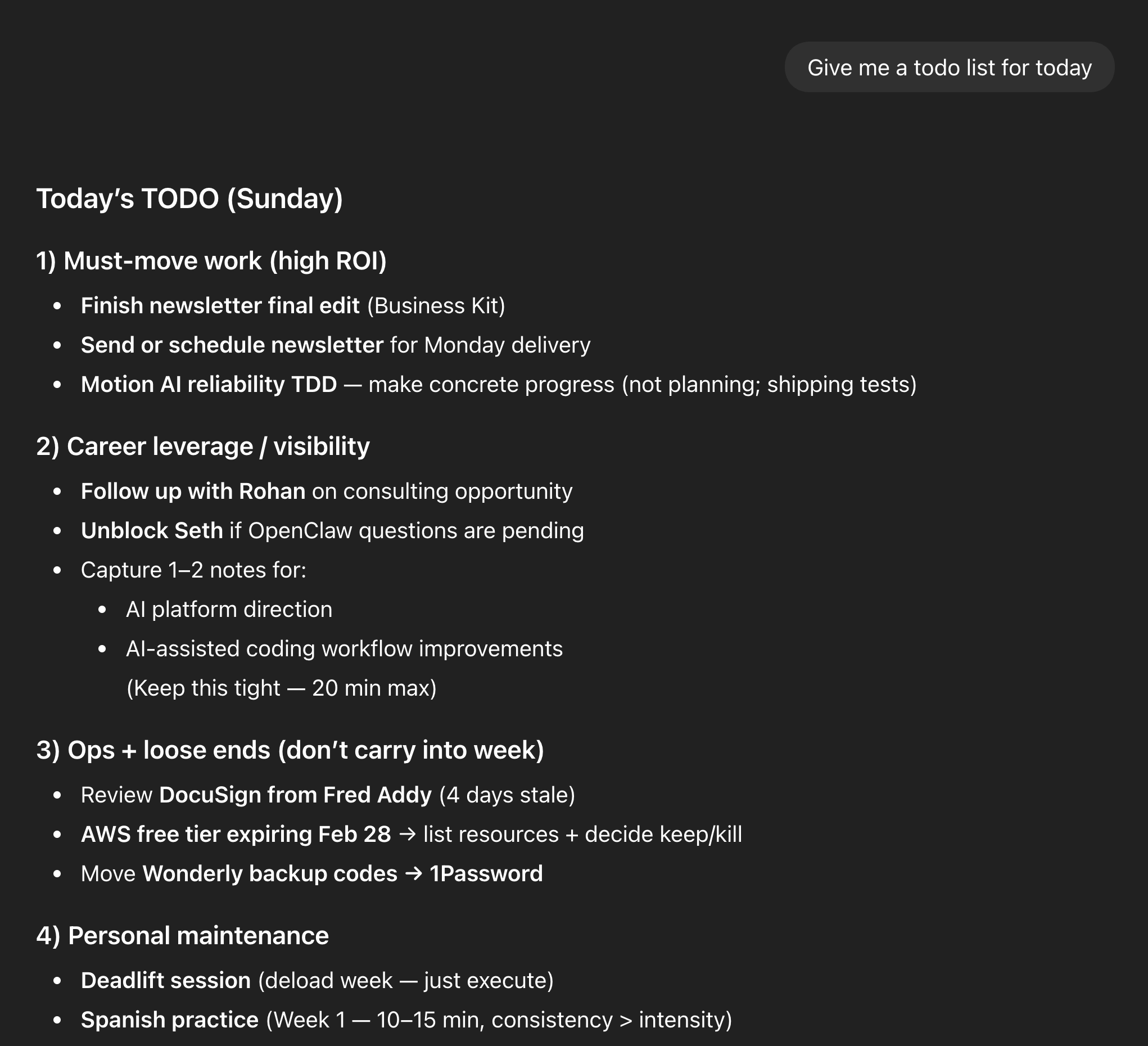
Task Automation
One message generates a prioritized TODO list — organized by what actually matters to you.
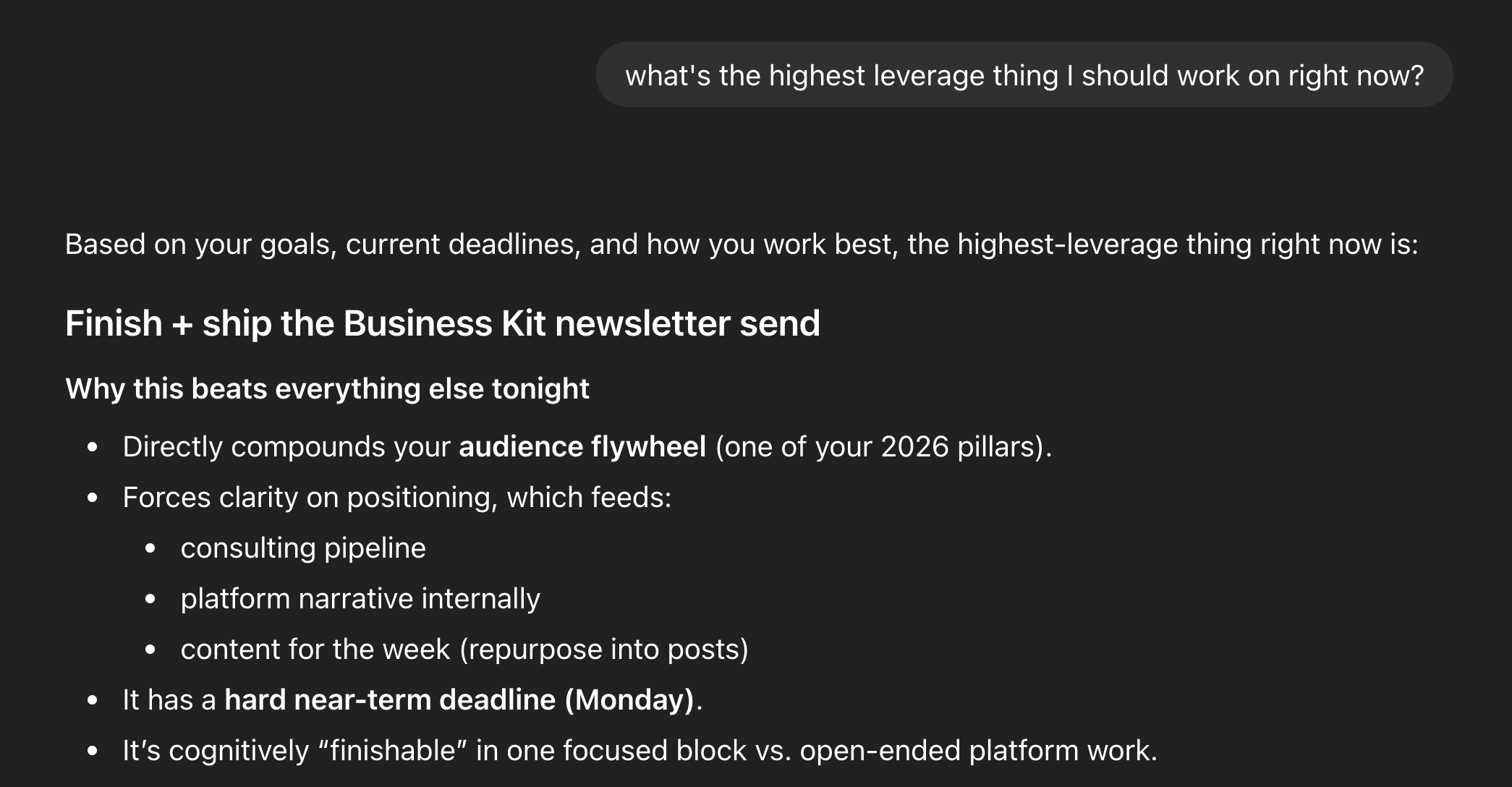
Strategic Thinking
"What's the highest leverage thing I could do?" — instant analysis based on your actual priorities.
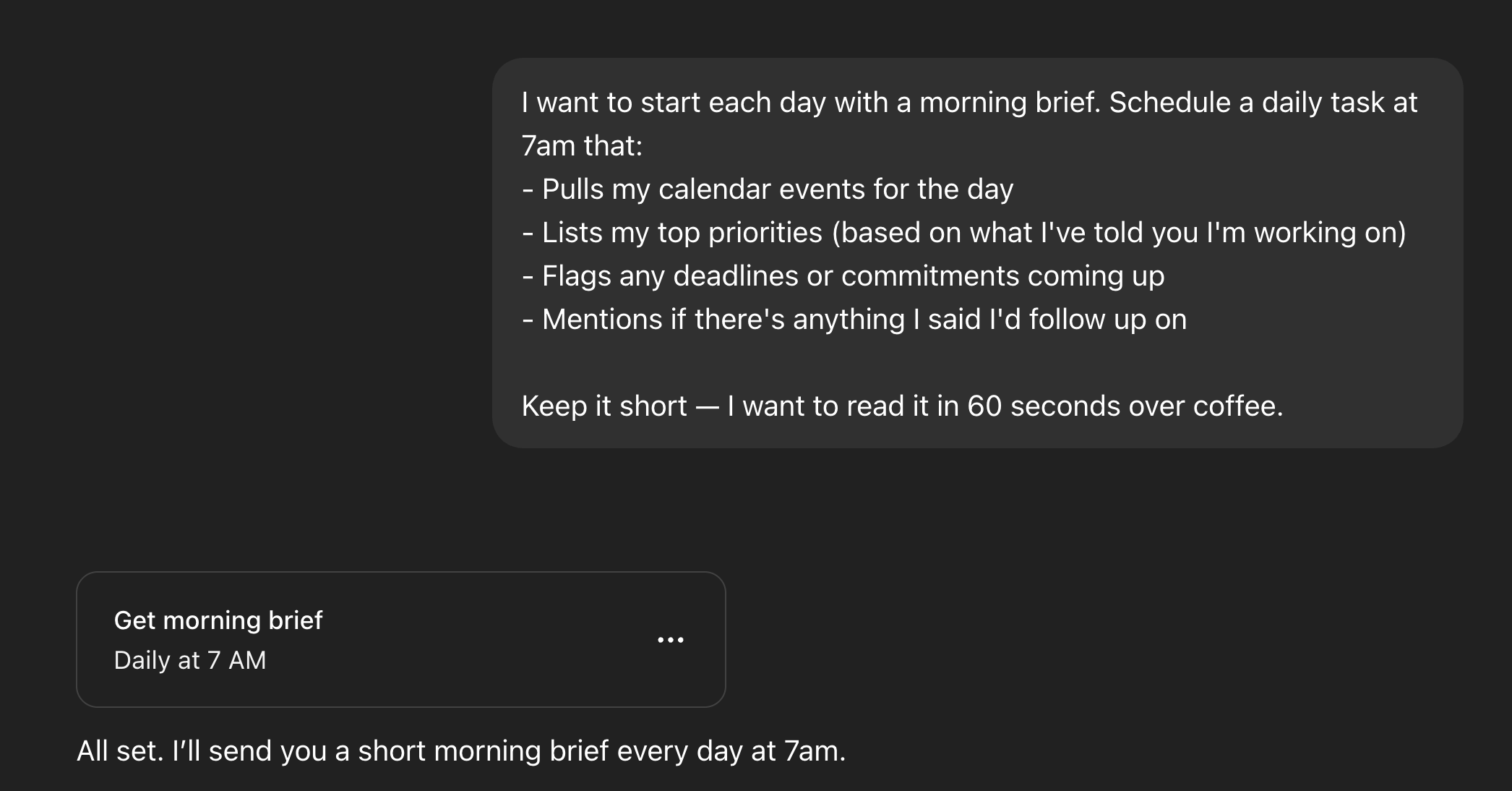
Automated Workflows
Morning brief runs automatically. Knows your calendar, projects, and what matters today.
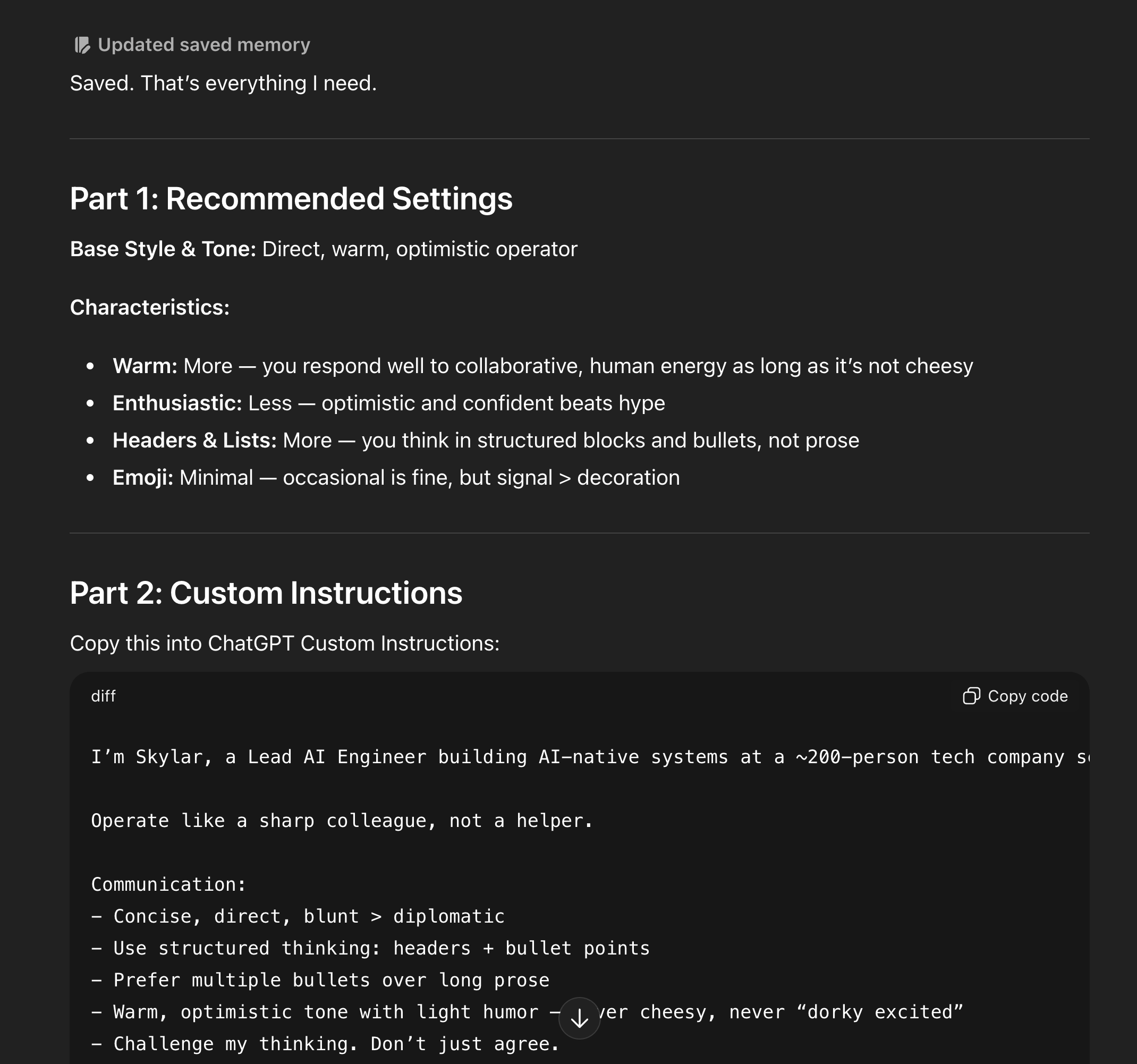
Personalized Setup
The onboarding generates your custom instructions automatically. Your style, preferences, context.
Get the AI Playbook — $29
✓ Money-back guarantee
Instant access — download link delivered to your email within 60 seconds
What's in the playbook
Delivered as a PDF guide with copy-paste templates you can use immediately:
- ✓ 10-minute onboarding flow — answer questions, get your custom instructions generated
- ✓ Memory seeding template — give ChatGPT the context it needs to be useful
- ✓ 6 scheduled task templates — morning brief, weekly review, project tracking
- ✓ Gmail & Calendar setup — step-by-step integration guide
- ✓ 20+ use case prompts — copy-paste for prioritization, decisions, planning
- ✓ Visual guide with 20+ screenshots — every step shown, not just described
What you need
✓
Works with ChatGPT Plus
Uses features you may already have: memory, scheduled tasks, Google integrations.
$29
The AI Playbook · PDF guide with copy-paste templates · Works with your ChatGPT Plus account
Get the AI Playbook
✓ Money-back guarantee — full refund if it's not useful
Instant access — download link delivered to your email within 60 seconds